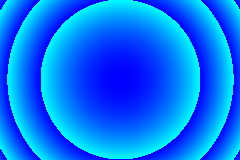
The circle pattern is generated by trying to render the surface
z = k(x2 + y2)
using a square
grid and a finite number of colours. For very small pixels and a large range of
colours you get some quite smooth circles.
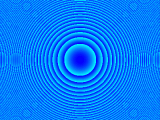
'z_factor' is the term that appears as 'k' in the original equation. Reducing the number of colours while keeping everything else the same
produces a more ragged pattern and interesting interference effects start
appearing, producing the ghost circles around the central one, as can be seen
in the next image.
The script creates a sequence of 20 images with z_factors [0.01, 0.015, 0.02, ...]
and filenames ['sequence00001.bmp', ...]. I
converted these to GIFs using Paintshop Pro giving ['sequence00001.gif', ...] and then
animated them using the following python script;
If you examine the circle pattern code you will see that the CirclePattern
self.fun = self.circle
and that the code that calculates the pattern calls 'fun' rather than
'circle'. You can use this to quickly change the equation that is drawn.
The functions available are listed in the Supplied
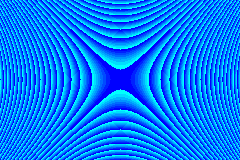
Functions section but it is easy to add new ones. The function 'anticircle'
is shown in the next example.
The CirclePattern module includes an example function which can be used to
create a few example patterns. This is easily edited if you want to experiment.
It is accessed using script like
import CirclePattern
pat=CirclePattern.example(1)
which will create a file called 'example1.bmp'. There are six basic examples (1-6)
and a example sequence (1000). You can generate all the standard examples in one
go with the script.
import CirclePattern
for i in range (1,7):
CirclePattern.example(i)
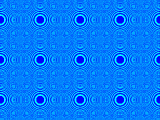
They generate larger versions of the following patterns.
Hopefully the code is commented well enough for you to follow it and I've
tried to avoid complicated statements. I'll just explain the class member
variables here;
self.width = 400
The width of the pattern in cells. The width in pixels will be this
value multiplied by self.blocksize
self.height = 300
The height of the pattern in cells. The height in pixels will be this
value multiplied by self.blocksize
self.colour_map = [black,white]
The colour map. A list of colours. The createColourMap can be used to
initialise this to a range of colours or you can build up the map from
individual colours in any pattern you like.
self.z_factor = 1e-3
The vakue of 'k' in the various equations.
self.xy_factor = 0
The value of 'k2'
in the various equations.
self.path = 'c:\\python23\\work\\'
The folder where the output files are saved.
self.filename = 'circle'
The name part of an output file. The final name will be
self.path+self.filename+index+'.bmp', where 'index' is the file number.
self.blocksize = 1
The size of the cells in the drawing. They are always square.